
From your first request to a working change
Five starting points for building with AI
Start with JoCoding’s build-and-revise example. Then choose help with project scope, Claude Code, web basics or Git according to where you get stuck.
For your first AI-built web page, start with JoCoding’s lottery-number page at 28:17–31:31. You can see the cycle of asking, running, checking and revising.
If you cannot choose a project, start with Lefty Kim. If you cannot find where to type your request, try Coding Noona. Bite-sized IT explains HTML, CSS and JavaScript; Yalco explains why to keep a history of changes.
The linked sources are in Korean. English captions have not been verified. Screenshots preserve the original interfaces; quotations below are English translations of the cited Korean excerpts.
1. What actually happens after you ask AI to build something?
Watch for: how the first result informs the next request.
JoCoding builds a page with a button that produces lottery numbers. He saves the AI-generated code to a file, opens it in a browser and presses the button to check that one set of numbers appears.
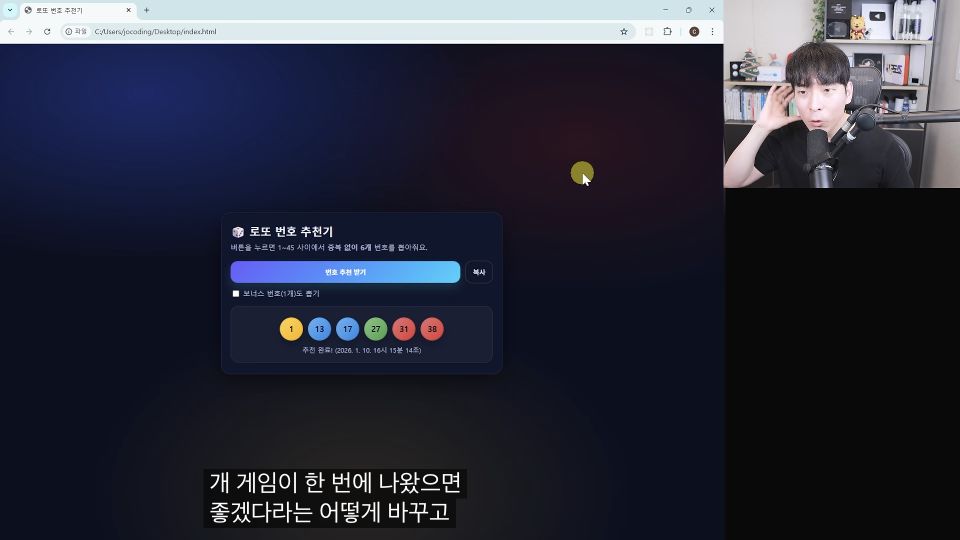

After seeing it, he decides that the page should produce five sets at a time. He returns to the conversation and asks:
30:40–30:46, translated excerptChange it so the button produces five sets of lottery numbers at once.
He saves the revised code and presses the button again. Five sets appear.
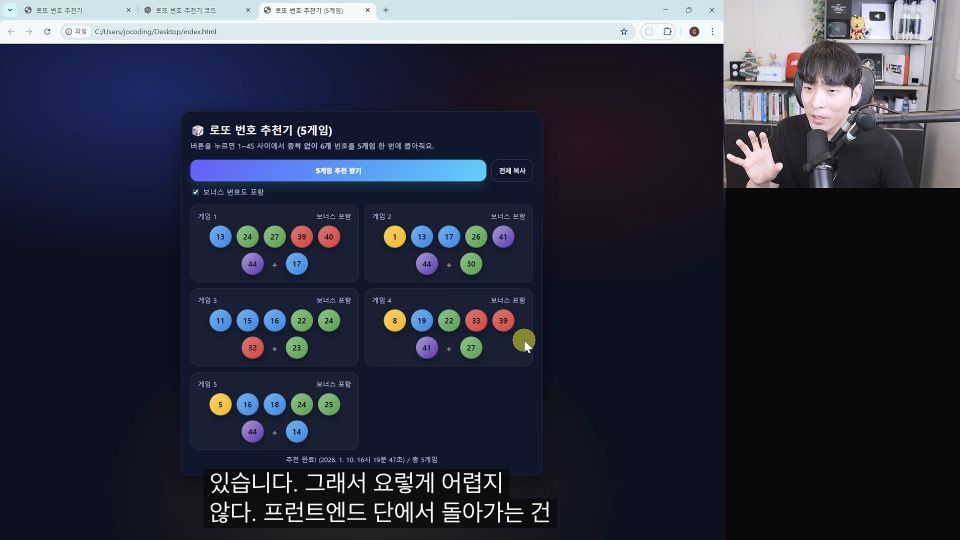
Try the same sequence in your project: request one behavior, run it yourself, then describe what to change.
 28:17–31:31 · selected segmentWatch segment Meet the creatorJoCodingShows the process of building web services with AI, from running Python to connecting screens and behavior.Useful if you want to turn an idea into a small working service.Read creator guide
2. If you have too many ideas, where should you start?
Take away: choose something that matters to you and can be attempted this week.
Lefty Kim describes how participants chose their first tasks in AI training at Woowa Brothers:

translated excerptsDoes this problem really matter to me?
Can I finish it this week?
Participants were encouraged to choose a problem that scored well on both questions. An important but difficult task was split into smaller pieces. An easy but unimportant one called for a different subject.
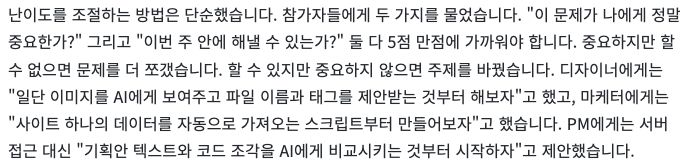
The examples are specific: a designer could ask AI to suggest a name and tags for one image; a marketer could begin with a script that retrieves data from one website.
For a personal project, try recording a book title and a one-line note in a list before building a complete reading service. Login and recommendation features can wait until you decide what is needed next.
 Sections on real problems and smaller goalsRead original Meet the creatorLefty Kim (Kim Sarang)Teaches coding and AI use to non-specialists through short Python exercises and small automation tasks.His workplace training examples show how to break a real problem into a first attempt.Read creator guide
3. The tool is open. Where do you type the request?
Learn to locate: your project folder and the place where you ask AI to work.
If you have chosen Claude Code, Coding Noona’s setup segment walks through selecting a folder and finding the request input.
She first creates a folder for the project. In VS Code, she opens File → Open Folder and selects it, explaining that the project’s work will be saved there.
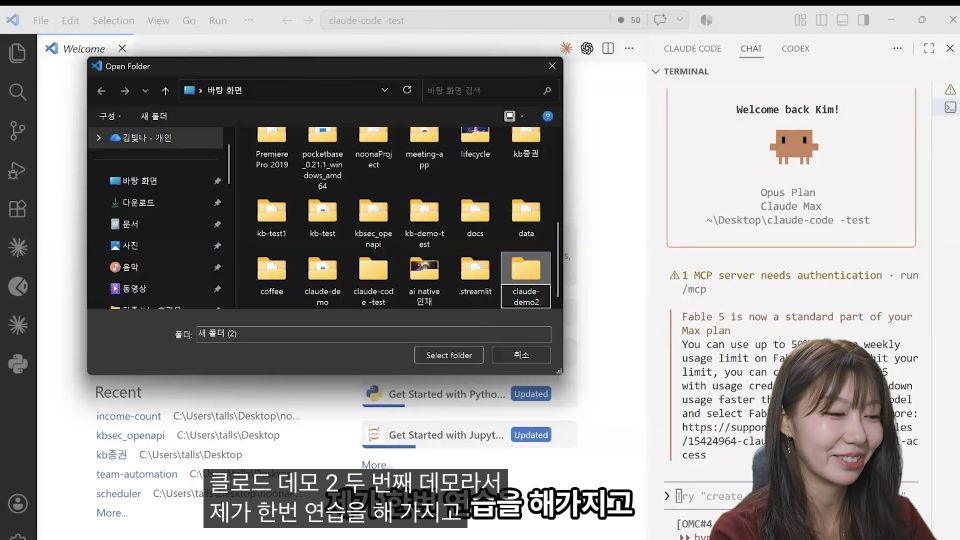

Next, she runs claude in the terminal and types a task into the prompt that opens. The terminal is a place to enter commands; whether it appears on the right or below the editor does not change that role.
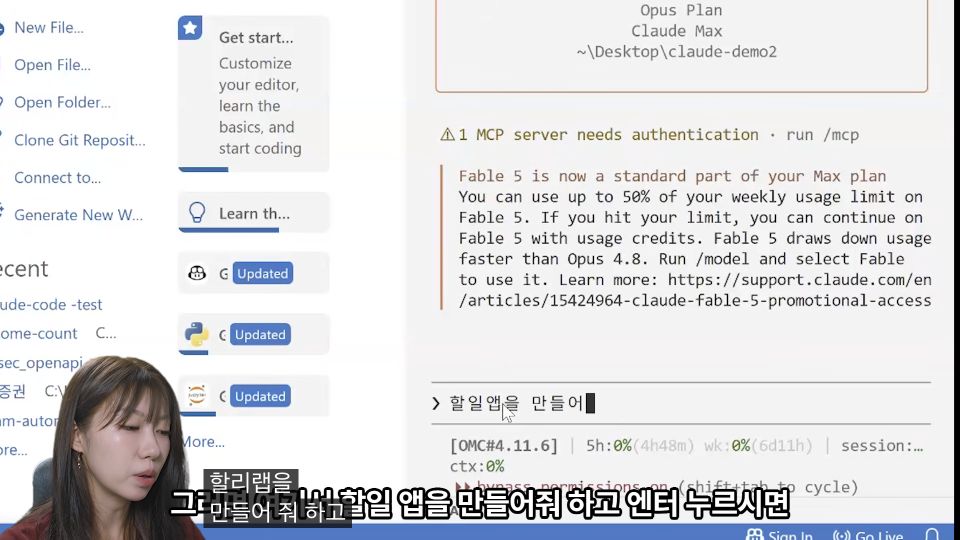
After installation and login, locate the project folder and request input on your own screen. This segment is about finding where to begin. Check the tool’s current access requirements before following along; your interface may differ.
 08:14–09:55 · folder and request inputWatch segment Meet the creatorCoding Noona (Kim Bitna)Explains Claude Code setup, project folders and instructions, then connects them to repeatable work and web development.Useful when you have opened the tool but do not know where to start.Read creator guide
4. AI says it changed HTML and CSS. What does that mean?
Understand: structure, appearance and behavior have different jobs.
Bite-sized IT explains HTML, CSS and JavaScript through a familiar YouTube interface. At 06:21–06:28, he describes HTML as the language for the arrangement and structure of elements.
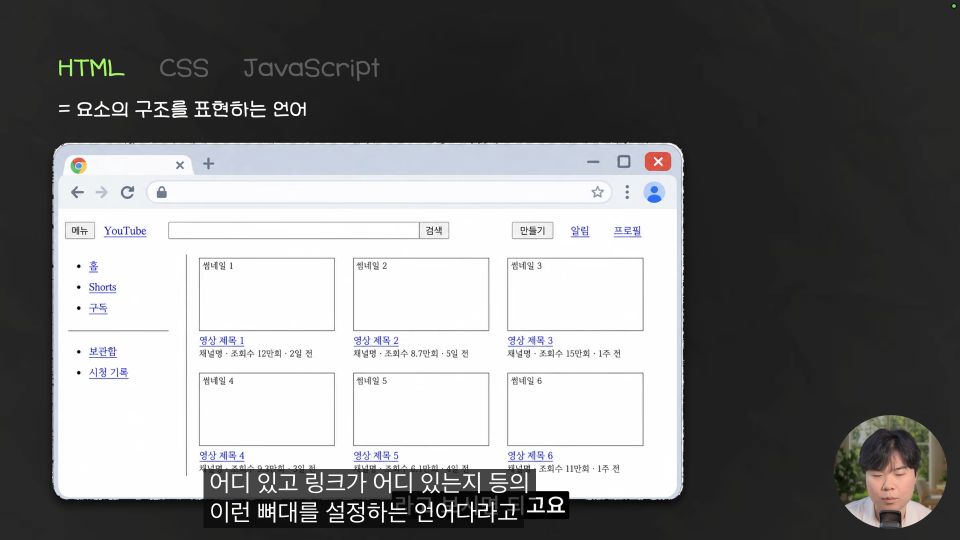

He then uses CSS for appearance, such as background colors and fonts, and JavaScript for features that respond to the user, such as search suggestions.
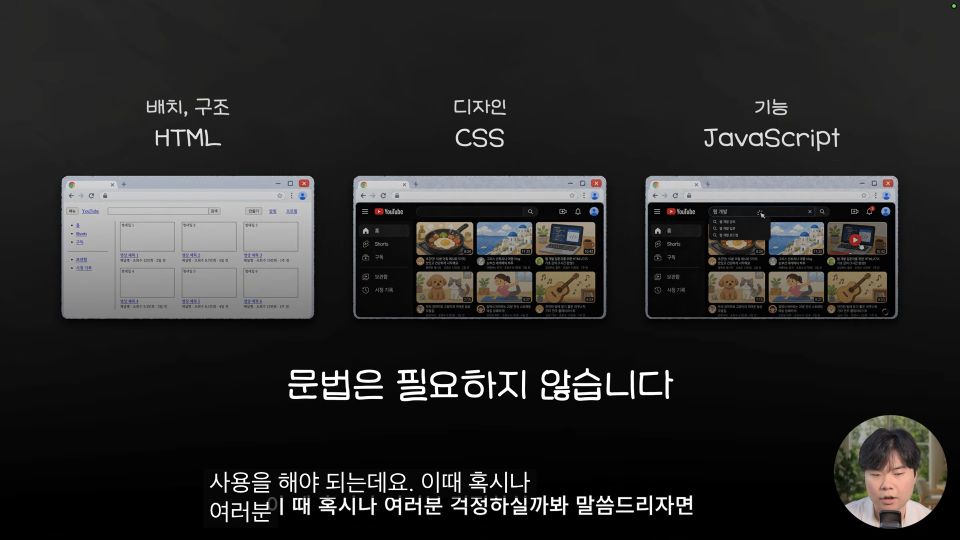
On your page, think of HTML as the structure of elements such as a button, CSS as color, size and spacing, and JavaScript as what happens when it is pressed. These roles do not always live in separate files.
 04:49–07:56 · web pages and code rolesWatch segment Meet the creatorBite-sized IT (Lee Jeonghwan)Explains web development and AI coding concepts through small examples, including page structure, version control, databases and deployment.Useful for understanding generated code and deciding what to learn next.Read creator guide
5. How do you go back when a working screen breaks?
Understand: why to record a state that you have checked works.
Yalco introduces Git through a familiar problem: a working feature stops working after an edit. He compares useful recorded states to save points in a game at 03:27–03:31.
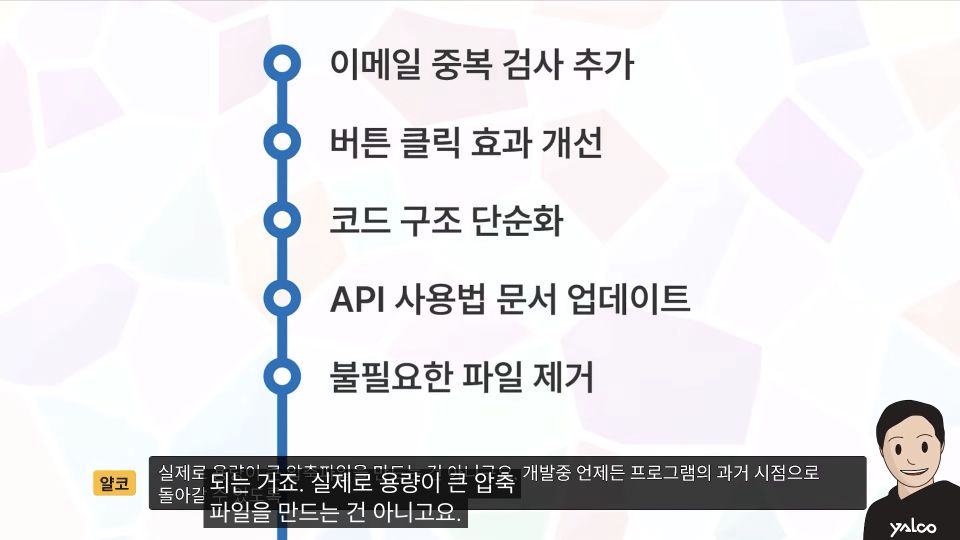
Git tracks changes to files. The video explains how recorded intermediate states can help you return to an earlier point if a new version has problems, and why manually undoing a change across several files is difficult.
Before your next edit, learn how to check and record a working state. The selected segment explains why Git is useful; the hands-on recording and recovery exercises come later in the course.
 02:32–05:20 · why change history mattersWatch segment Meet the creatorYalco (Ko Hyunmin)Uses familiar analogies to explain development concepts before moving into exercises.His Git save-point analogy helps beginners understand why to record changes before learning the commands.Read creator guide
If using AI has made you want to write code yourself, continue with three videos for your first day of coding, from creating a file to checking printed output.
Creators in this guide
- JoCodingShows the process of building web services with AI, from running Python to connecting screens and behavior. Useful if you want to turn an idea into a small working service.
- Lefty Kim (Kim Sarang)Teaches coding and AI use to non-specialists through short Python exercises and small automation tasks. His workplace training examples show how to break a real problem into a first attempt.
- Coding Noona (Kim Bitna)Explains Claude Code setup, project folders and instructions, then connects them to repeatable work and web development. Useful when you have opened the tool but do not know where to start.
- Bite-sized IT (Lee Jeonghwan)Explains web development and AI coding concepts through small examples, including page structure, version control, databases and deployment. Useful for understanding generated code and deciding what to learn next.
- Yalco (Ko Hyunmin)Uses familiar analogies to explain development concepts before moving into exercises. His Git save-point analogy helps beginners understand why to record changes before learning the commands.