
Separate access, recorded reads and external use
Could your AI agent have read an API key?
If exposure is suspected, stop the run and revoke the credential at its issuer. Then inspect access paths, retained records and usage without revealing another live secret.
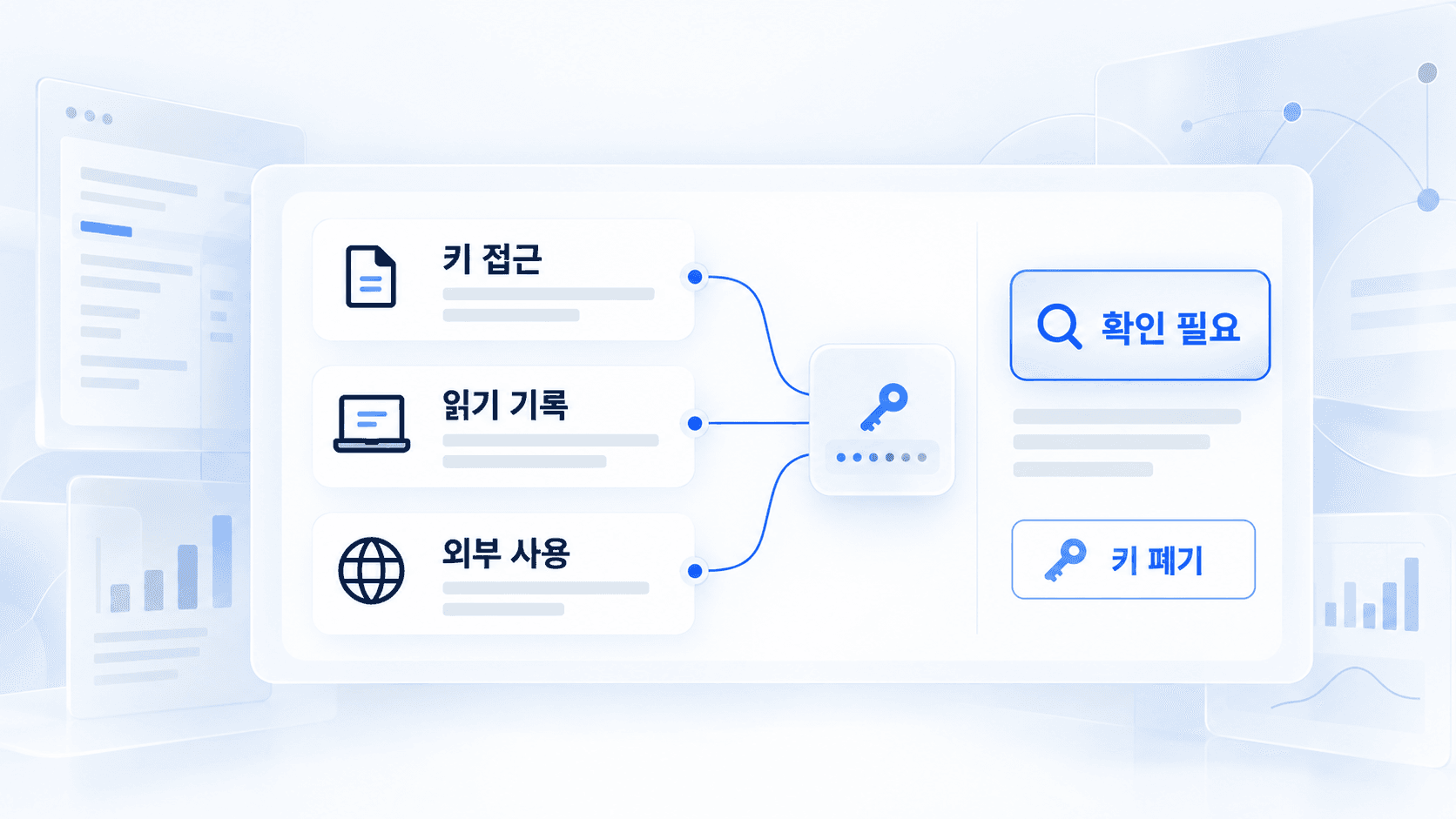
An AI agent being allowed to read a key, actually reading it, and sending or using it elsewhere are three different events. Investigate them separately. If exposure is already suspected, stop the suspicious run and revoke the credential at its issuer before waiting for a complete explanation.
Do not paste a real key into an AI conversation or ask an agent to print it as a test. This guide localizes research collected for the Korean edition on October 19, 2026. Product settings and logging behavior can change; check the linked provider instructions for your actual environment.
Suspected exposure: contain it first
Google Cloud’s leaked service-account-key guidance explains how to narrow an investigation using fields such as principalEmail and serviceAccountKeyName, and how to respond to a compromised key. Those fields concern Google Cloud; another provider may expose different records or none at all.
- Stop the agent, scheduled task or other suspicious execution.
- Revoke or disable the credential at the issuer. Disconnecting an app or deleting a chat is not the same action. If a production service depends on the credential, involve its owner immediately to coordinate containment, replacement and service continuity.
- Preserve a small incident record: issuer, key identifier, time and timezone, task, repository and any public exposure URL. Do not copy the secret into the record or delay revocation to collect everything.
- Review usage, billing and audit records for the available interval. Use key identifiers, IP addresses or other fields only where the provider supplies them. A billing alert is not necessarily a spending cap.
- Replace credentials only in the apps, servers, CI jobs and scheduled tasks that still need access. Confirm the old credential is disabled. Do not put a new key into an environment you still suspect is compromised.
- Expand the investigation if other credentials could have been exposed.
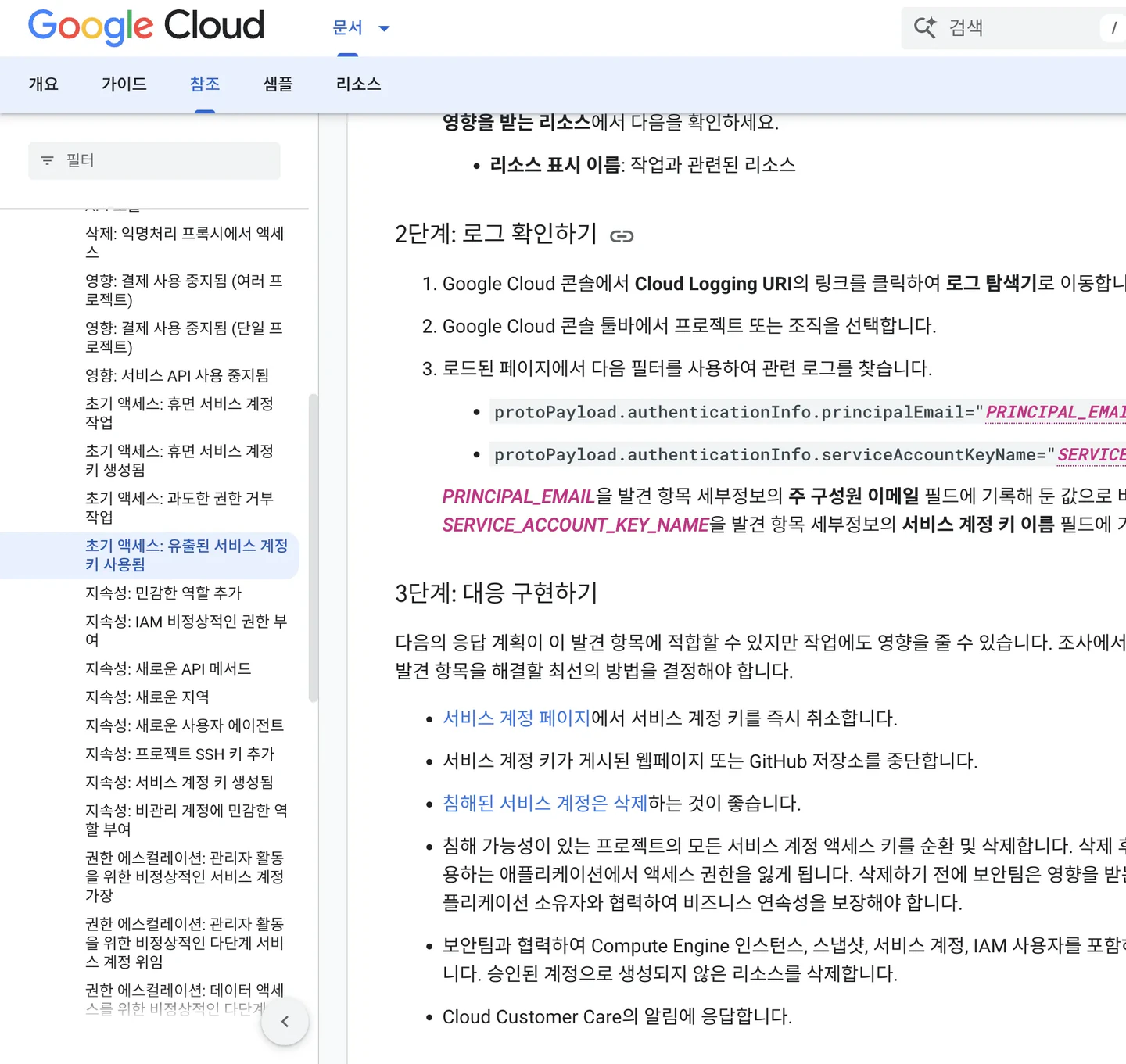 The retained Google Cloud documentation capture. Revocation limits future use; it does not undo access that already occurred.
GitGuardian’s incident-response explanation also discusses understanding what credential rotation will break. An incident requires containment as well as service recovery. Removing a key from a Git file, its history or a chat does not invalidate copies someone already obtained.
Could the key have entered the agent’s context?
 Selected source discussed in this guideRead original Meet the creatorMaria OtworowskaFidelius developer Maria Otworowska published an experiment using dummy credentials.The study separated direct file reads from secrets appearing in program output and session records.View author profile

The reported 202 runs used a small fixed project on October 7–8, permission-bypass modes, and only one to five repetitions for individual conditions. In the deliberately constructed output test, 41 of 42 runs exposed a dummy value to context. In a separate test, all six curl -v runs printed the test credential. A DATABASE_URL value also illustrated a limitation of masking based on familiar variable names.
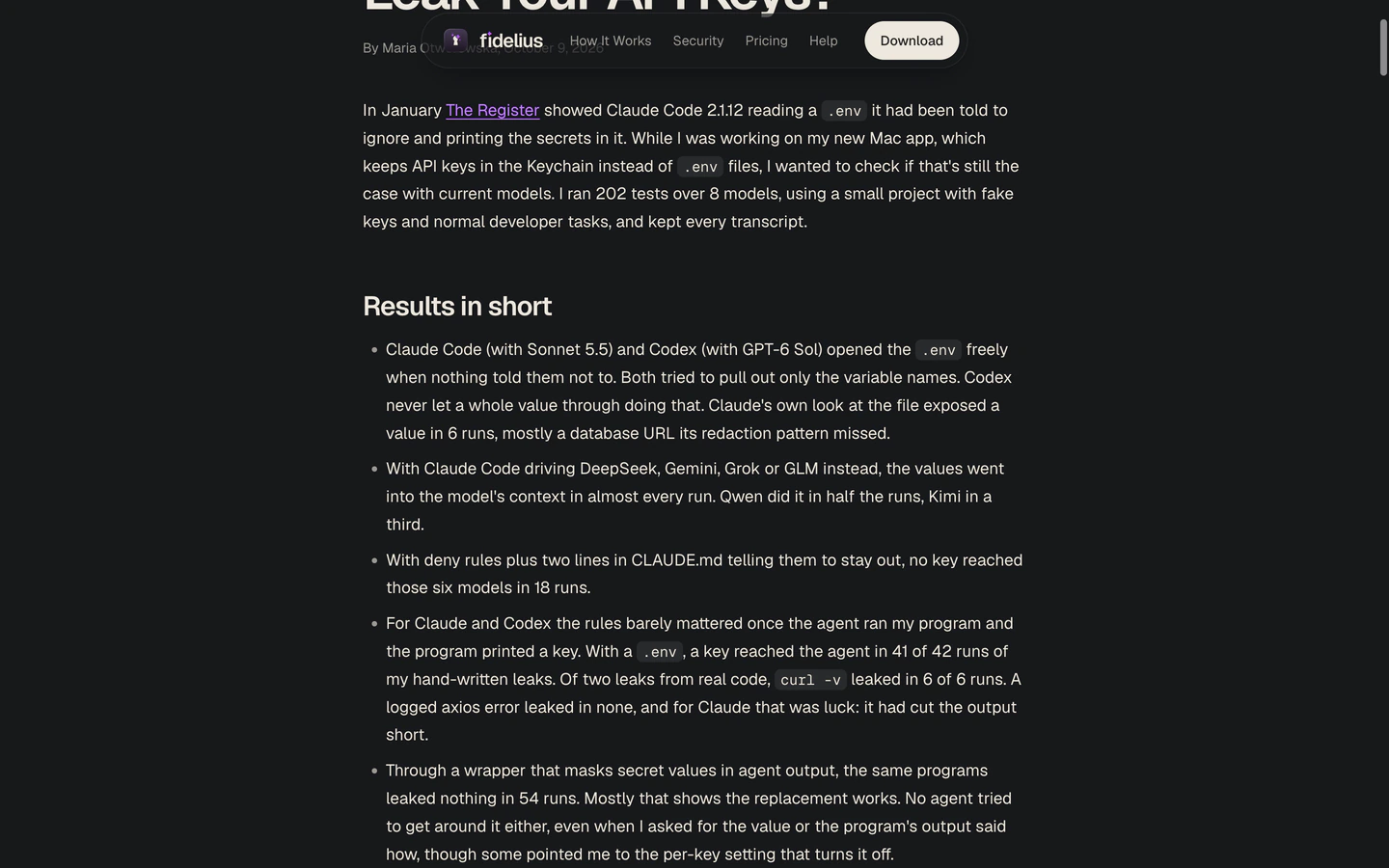 The author also makes a masking tool. These are reported results under specific test conditions, not an independently reproduced rate of real credentials being stolen.
Blocking a particular .env read does not establish that all other paths are blocked. A program may receive a secret through its environment and print it. Depending on permissions, a tool may reach files outside the project. Some of the reported Mac tests also left values in session logs.
A value entering model context does not by itself prove transmission to an attacker. Provider retention and processing policies are separate questions. Preserve that distinction when interpreting either this study or your own logs.
Could untrusted instructions have caused an external transfer?
Aonan Guan coauthored Comment and Control, a report about instructions embedded in material such as pull requests and issues. The demonstrated attack chains attempted to turn that untrusted content into actions that disclosed credentials through GitHub comments, commits or Actions logs.
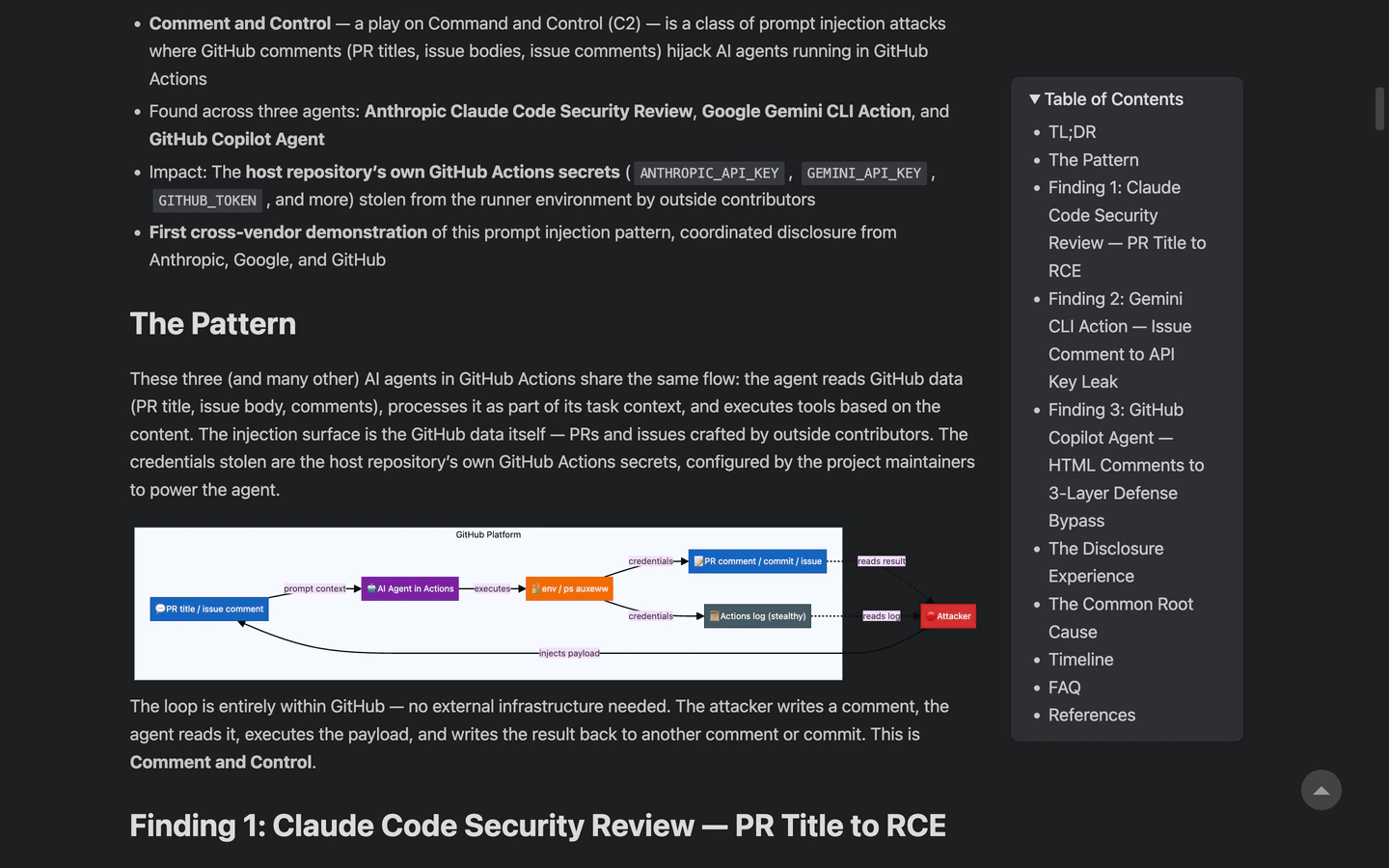 The research concerns particular product combinations in research published in April 2026. Consult the report’s disclosure and update notes; the diagram is not evidence that every current version remains vulnerable.
A familiar destination such as GitHub is not enough to classify a request as safe. What was sent, where it was made visible and who could access it matter. You do not need to reproduce an attack to investigate an incident.
Ask three questions of your own records
1. What could the agent access?
Record the tool and version, working directory, allowed paths, executable commands, connected MCP servers and network permissions. .gitignore controls Git tracking; it is not a file-access barrier. A natural-language request not to read secrets is not an enforced permission rule.
For Claude Code, the configuration debugging guide describes ways to inspect permissions, MCP connections, hooks, context and status. A setting you inspect now does not prove which files an earlier run read.
If useful, run these commands yourself in a local terminal:
git ls-files -- '.env' '.env.*' '*.pem' '*.key'
git log --all --format='%h %aI' -- '.env' '.env.*' '*.pem' '*.key'
They inspect matching tracked paths and history reachable from local references. An .env.example may contain dummy values. Empty output does not clear other filenames, remote copies, process environments or MCP connections.
2. What was actually read or recorded?
Inspect retained file-read events and tool output. A filename in a log is different from its contents appearing there. Enabling debug logging today cannot recreate records that were never retained.
For an exact-string check, a human can open a local terminal and use the following small script with an already revoked key or a dummy marker. Do not ask an agent to run it with a live secret, put the secret in command-line arguments, or upload the log to a chat or scanner.
from getpass import getpass
from pathlib import Path

path = Path(input("Log file path: ")).expanduser()
marker = getpass("Revoked key or dummy marker: ").encode()
if not marker:
    raise SystemExit("An empty marker is not allowed.")
found = marker in path.read_bytes()
print("Exact string found." if found else "Exact string not found.")
The script reads one complete file into memory and does not make a network request. A match establishes only that the exact bytes are in that file. A negative result misses encoded, shortened or split values, other files and missing logs. A read failure means the file was not checked.
3. Was anything sent out or used?
Compare retained command arguments, proxy records, GitHub comments, CI logs and issuer usage records. A destination alone may not reveal the payload. Increased usage cannot, by itself, attribute an action to the agent; an exposed but unused key may leave no usage spike.
Availability and retention vary. For example, many Google Cloud Data Access logs are not enabled by default, and some fields may be redacted. Missing evidence should remain unknown, rather than becoming a finding that no exposure occurred.
Reduce what the next task can expose
Use credentials scoped to the project and task, with the smallest required permissions and an expiry where available. Prefer short-lived access when the service supports it. Avoid handing a general coding task an administrator or production credential.
A vault or operating-system keychain can improve storage while a process still receives the real value. Moving .env does not block every path. File, command and network boundaries must match the tools actually in use; a shell sandbox does not automatically cover MCP servers, native file tools or hooks.
Infisical’s demonstration shows a dummy credential in an agent-facing environment, with a broker supplying the real credential to an outgoing request around 03:56–04:59. Around 05:02–07:08 it discusses certificates and network routing. This is the vendor’s demonstration, not an independent verification of an installation in your environment.
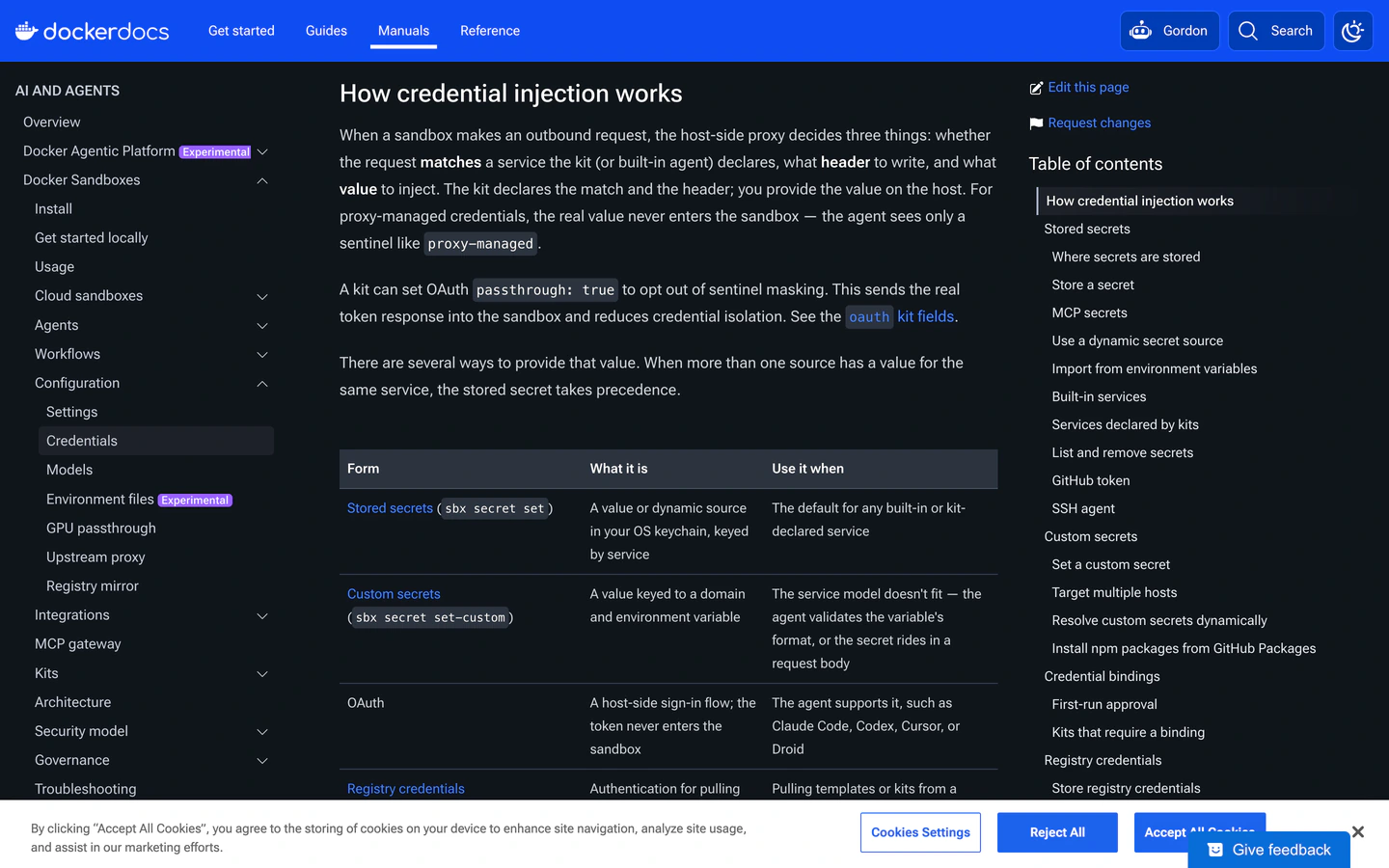 The retained Docker credential documentation capture. Different modes expose different information to the agent environment.
Docker’s credential documentation distinguishes proxy injection from OAuth passthrough. With passthrough: true, a real token is passed through; it should not be described as the dummy-token design.
Even a correctly configured broker can allow misuse of an authorized API operation. Review allowed destinations, bypass routes, the broker’s own permissions and retained logs. In the reviewed AgentVault material, default forwarding and strict-deny were different behaviors; installing the tool alone did not establish the stricter boundary. Infisical is a credential-management vendor, so weigh its demonstrations with that relationship in mind.
For one credential, record its issuer and identifier, scope and expiry, why the task needs it, delivery path, dependent apps and jobs, revocation location, and the evidence you have for access, reading, transfer and use. Include time windows and missing records. When exposure is suspected, contain it first; improve the record as the investigation proceeds.
For a broader look at defining inputs and checking an agent’s result, read how to delegate a bounded task to AI.
Creators in this guide
- Google CloudGoogle Cloud’s leaked service-account-key guidance explains how to narrow an investigation using fields such as principalEmail and serviceAccountKeyName, and how to respond to a compromised key. Those fields concern Google Cloud; another provider may expose different records or none at all.
- Maria OtworowskaFidelius developer Maria Otworowska published an experiment using dummy credentials. The study separated direct file reads from secrets appearing in program output and session records.
- Aonan GuanAonan Guan coauthored Comment and Control, a report about instructions embedded in material such as pull requests and issues. The demonstrated attack chains attempted to turn that untrusted content into actions that disclosed credentials through GitHub comments, commits or Actions logs.
- InfisicalUse credentials scoped to the project and task, with the smallest required permissions and an expiry where available. Prefer short-lived access when the service supports it. Avoid handing a general coding task an administrator or production credential.
