
Five tools through five inspectable tasks
Which AI bot fits the work you want to delegate?
Compare newsletter, video, family-calendar, content and briefing demonstrations. Prices and access conditions are the October 23, 2026 research snapshot.
Choose an AI bot around a small job you can inspect: its inputs, the output you expect, what counts as finished and the decisions you will keep. A scheduled newsletter and an avatar video need different tools and checks.
This English edition compares the five products and five creator demonstrations researched for the Korean article. Prices, access conditions and product descriptions below are an October 23, 2026 snapshot in US dollars. They are not a live quotation or a promise that your account has access. The older demonstrations can also differ from current interfaces.
Start with where the work will run
Swipe horizontally to compare all columns.
| Product | Environment described in the reviewed documentation | Boundary to inspect |
|---|---|---|
| Hermes Bot Mode | A local or server-hosted setup, with models, memory and skills configured for bots and group mentions. | You manage the host and the bots’ access to tools, files and accounts. |
| Grok Bot | A cloud computer connected to tools. | Bots in the same account share the computer, logins and files; separate bot names do not create separate environments. |
| Meta Muse | A dedicated cloud computer with connections such as email and calendars. | Check regional eligibility and what personal information the task needs; verify results against the source calendar. |
| ChatGPT dot | Its own cloud browser, with activity continuing between conversations and work delegated through connected capabilities. | Work, Codex, plugins and external services have their own conditions. A connected local computer needs the ChatGPT app online. |
| Claude Duet | A cloud environment using existing Claude memory, skills and apps for briefings and follow-up. | The reviewed US preview required an invitation. Set check-in frequency and retain approval for sending messages. |
Official references: Hermes Bot Mode and repository; Grok Bot and security and approvals; Muse; dot documentation; and Duet setup.
Compare the full cost of the job
The original research recorded these conditions on October 23:
Swipe horizontally to compare all columns.
| Product | Recorded pricing and access conditions |
|---|---|
| Hermes | Open-source software; model/API usage and hosting can cost extra. |
| Grok Bot | Premium $30, Super $100 and Ultra $200 per month, with included weekly usage and additional token-based charges. |
| Muse | A free allowance, Power at $20 and Maximum at $100 per month; the paid tiers listed 500 million and 3 billion Muse Tokens per week. Region and account restrictions applied. |
| ChatGPT dot | A first dot included with the $100, $200 and $500 Pro plans, without a separate dot fee. Access was rolling out to Pro, Business Premium and Enterprise. Personal Pro access required age 18+ and excluded the EEA, UK and Switzerland; Enterprise required administrator availability. |
| Claude Duet | Shared Pro/Max usage, with US-account waitlist and invitation conditions. Pro was $20 per month and Max started at $100. |
See the live Muse subscription help, dot access guide, dot pricing, and Claude pricing before spending money. The reviewed dot documentation distinguished conversations with a dot from Work or Codex activity it started: those delegated activities used their applicable limits. External tools could charge separately.
A subscription, permission to connect a tool and a finished deliverable are separate checks. Try a small task using public material—for example, three sources and a one-page brief with links, dates and clearly attributed quotations—and record elapsed time and revisions before expanding access.
Hermes: a newsletter team with a human editor
 12:24–18:45Watch segment Meet the creatorAiden’s Kind AIAiden’s Kind AI demonstrates researcher, editor and reviewer bots in a Korean-language Hermes Bot Mode video.View author profile

At 12:24, the creator schedules a briefing. At 14:03, the demonstration shows a briefing arriving in a ten-minute test. Around 14:32, the draft and review process asks for original material rather than relying only on a summary. At 17:16, the three bots discuss a headline and the human makes the final selection.
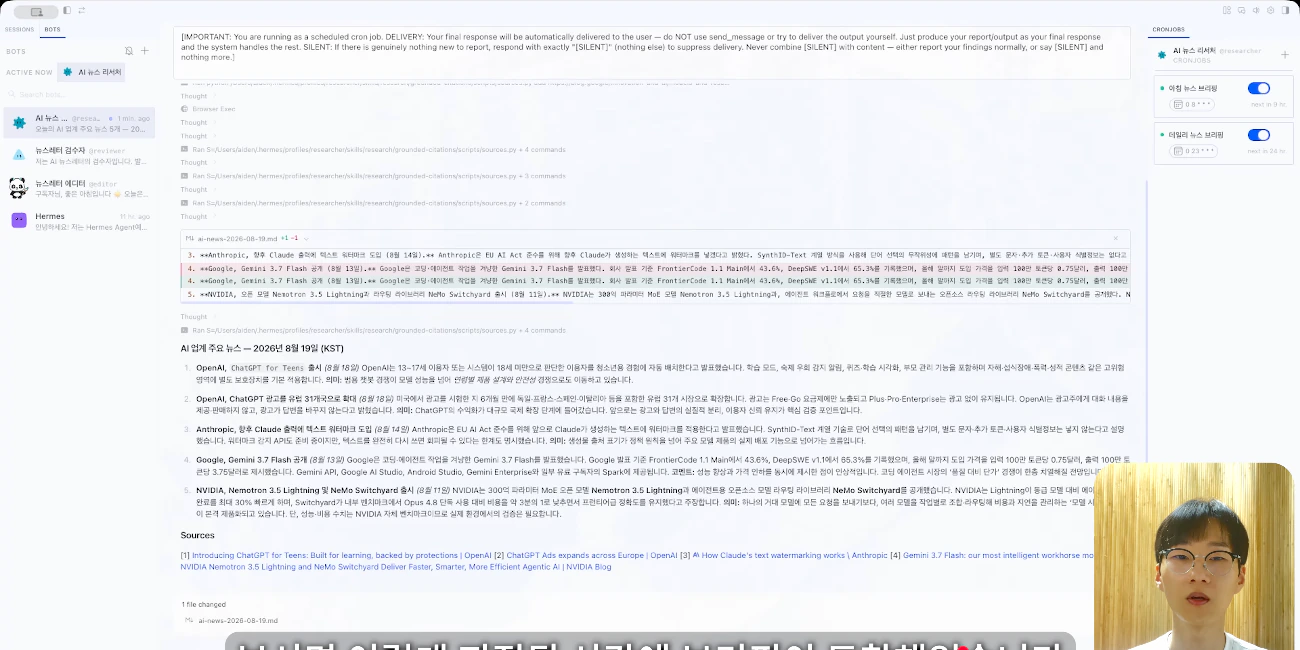 The retained August demonstration. Current screens may differ.
Watch how material moves between roles and where the person decides. A bot called “reviewer” does not guarantee factual accuracy. For a first attempt, specify the source links, publication dates and final decision you need to inspect before scheduling a recurring delivery.
Grok Bot: producing a file still leaves an editing job
 01:53 · 07:28Watch segment Meet the creatoralexusadaysalexusadays connects a director bot, channel bots and tools including HeyGen in an English-language video-production account.View author profile

The connection problem appears around 01:53; generated results are reviewed around 07:28. The creator receives a file but still needs to correct voice and layout choices, including an avatar that is too small and unused space.
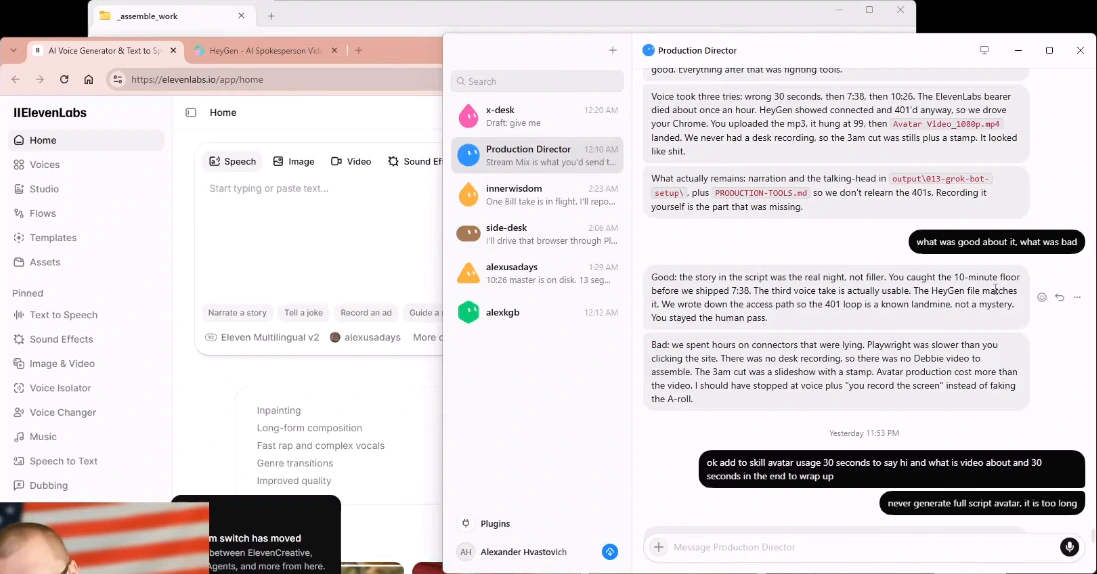 An August experience with that setup, not proof that the same connection problem persists today.
Begin with one script and one short scene. Check tool connection, file creation, acceptable content and authorization to publish as separate outcomes. A successful export is useful evidence of execution; it does not establish that the result fits your audience or is ready to release.
Muse: a family briefing that needs source checks
 09:48–13:20 · 29:34–33:34Watch segment Meet the creatorClaire VoClaire Vo combines email and Google Calendar information into a one-page family PDF in an English-language Muse walkthrough.View author profile

The intended brief is a PDF for the kitchen table, covering weekly activities, children’s preparation reminders, local news and weather. Around 11:44, the video shows the document. That lets you inspect an output and its layout; it does not establish that every calendar entry was correct or that repeated runs remained reliable.
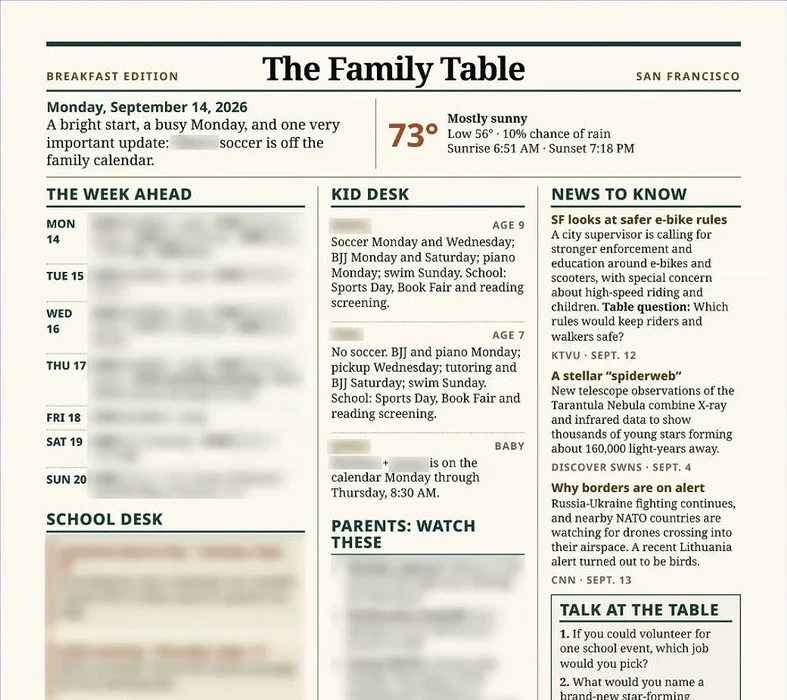 Inspect the displayed document against its intended purpose without treating one example as a reliability test.
The same video includes limits: the color-and-shoes task fails around 29:34, and reaching a movie-ticket checkout is not a completed purchase. The video includes Optimizely and OpenArt sponsorships.
For a first trial, choose a narrow calendar interval and check each extracted appointment against its source. Include only the personal information needed for the task.
ChatGPT dot: revisions across connected content tools
Nicky Saunders shows a phone-to-desktop workflow involving a carousel and avatar video in an English-language dot demonstration. HeyGen, ElevenLabs and Canva are already connected in the example.
At 02:28, the carousel is revised to use a brighter background and photos. Around 03:12, an avatar video plays. A website appears around 05:22.
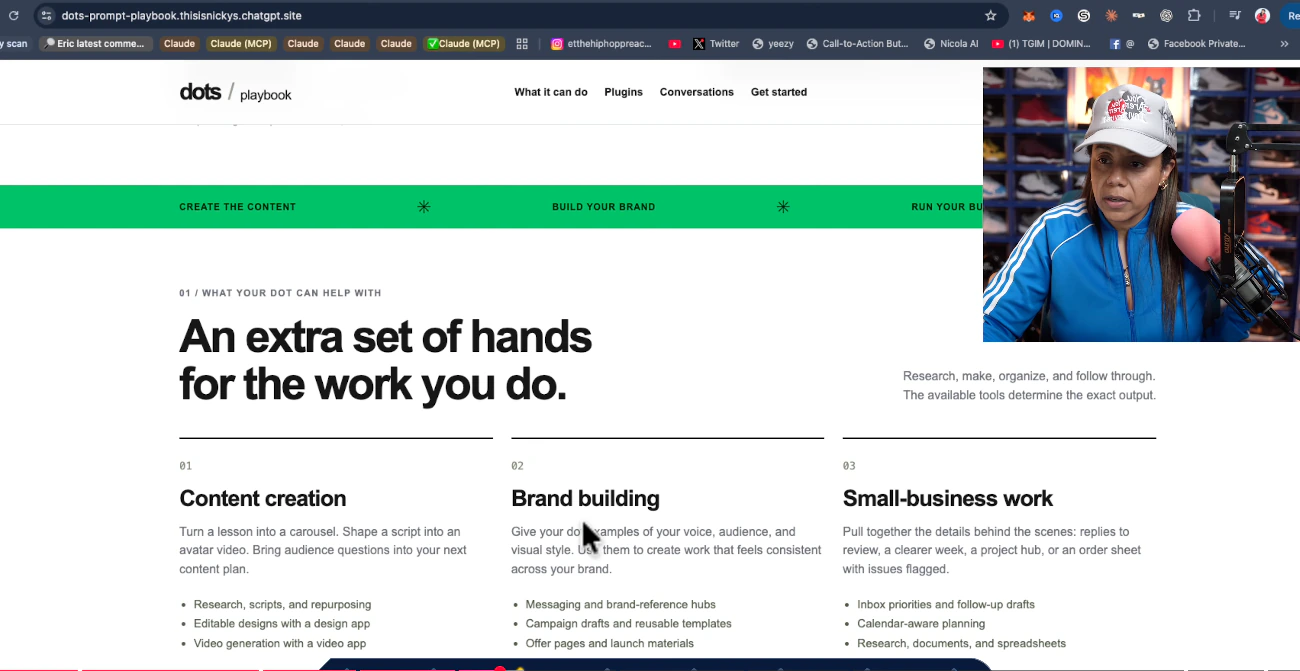 The example includes conversation, revision and outputs from connected tools. It does not establish a setup without those connections.
Specify image rights, dimensions, format and acceptance criteria before trying a similar task. Check external-tool charges separately, and keep permission to publish distinct from permission to generate a draft.
Claude Duet: a briefing and an unsent reply
 06:38–09:03 · 12:39Watch segment Meet the creatorPeter YangPeter Yang demonstrates an early-access morning workflow using email and channel analytics in an English-language Duet video.View author profile

At 06:38, he shows a morning skill document. Around 08:23, the briefing surfaces priorities; at 08:53, it presents an editable reply that has not been sent. The human still reviews the message.
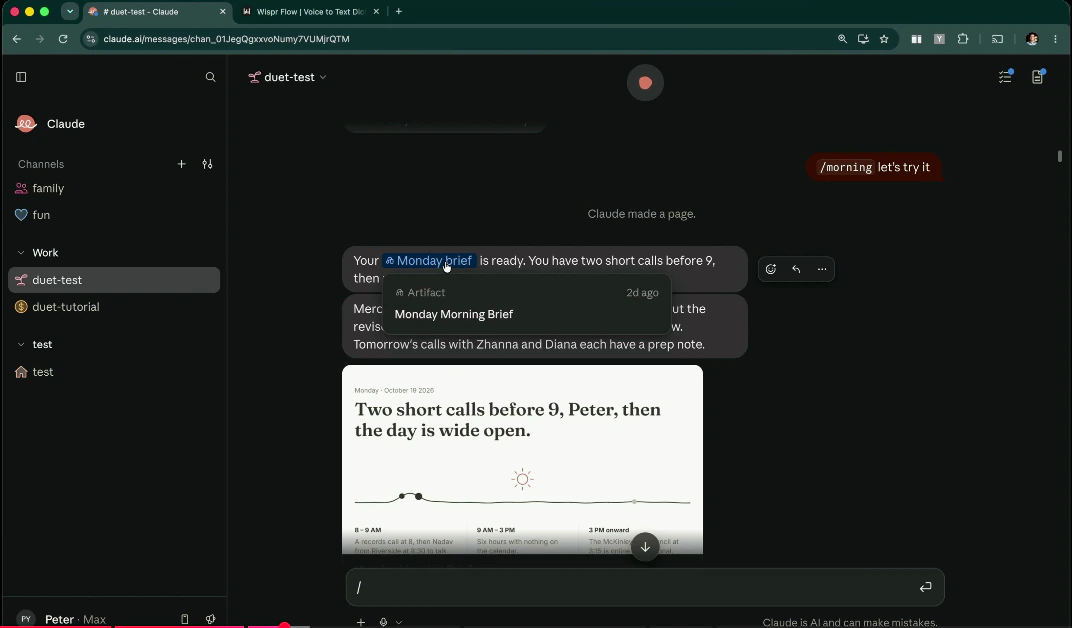 The capture shows the morning briefing. The separate reply demonstration at 08:53 remains a draft for human review.
The creator found five daily check-ins excessive for his own use. Around 12:39, an Uber task stops at human verification and remains unfinished. The video includes a Wispr Flow advertisement.
A bounded starting task might cover three emails and preparation for one meeting, with replies kept as drafts. Decide how often you want interruptions before enabling recurring briefings.
Choose a task you can judge
These examples are useful because they reveal inputs, intermediate results, corrections and unfinished work. They are not a controlled comparison of overall product quality.
Use tools you already understand where possible. Keep the first task small enough to inspect every source and output. Then decide whether saved effort exceeds the setup, correction and monitoring it required.
For a more detailed way to specify the task and review its result, read how to delegate work to AI.
Creators in this guide
- Aiden’s Kind AIAiden’s Kind AI demonstrates researcher, editor and reviewer bots in a Korean-language Hermes Bot Mode video.
- alexusadaysalexusadays connects a director bot, channel bots and tools including HeyGen in an English-language video-production account.
- Claire VoClaire Vo combines email and Google Calendar information into a one-page family PDF in an English-language Muse walkthrough.
- Nicky SaundersNicky Saunders shows a phone-to-desktop workflow involving a carousel and avatar video in an English-language dot demonstration. HeyGen, ElevenLabs and Canva are already connected in the example.
- Peter YangPeter Yang demonstrates an early-access morning workflow using email and channel analytics in an English-language Duet video.
